Improving image quality
Sharper photos, faster loading, and more beautiful Instagram stories. This week, we've improved image quality to preserve even the finest details, and refreshed our Instagram carousels with expressive typography, better layouts, and a more editorial feel. More ways to make your photography shine.
More detail for your photography
We've already had the best in industry optimization for delivery of photography, which makes the photography delivered fast almost without any loss. But you can't be obsessed enough about quality and speed. Right?
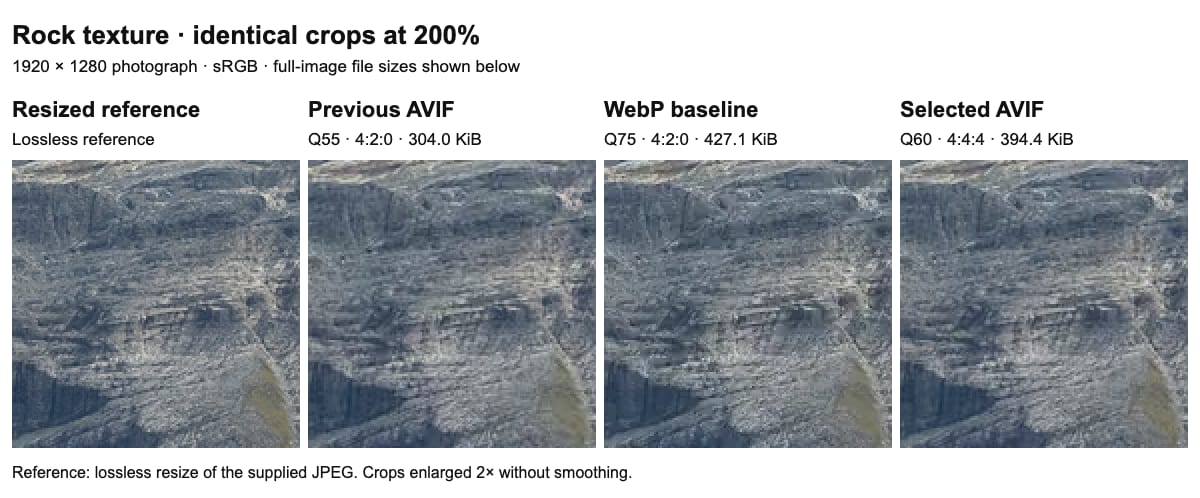
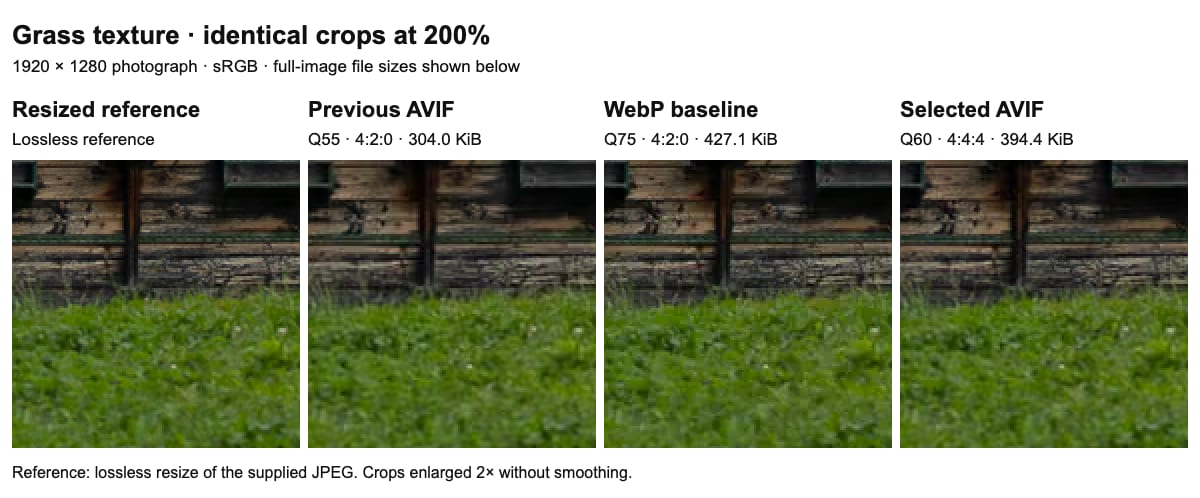
We’ve refined our photo compression settings even further to preserve more of the detail on photography while reducing file size even further. The migration to higher-quality AVIF encoding with full-resolution colour sampling (4:4:4) for new uploads. Compared with our previous AVIF setting, it keeps more texture in subjects such as rock and grass, while full-resolution colour sampling avoids reducing the colour detail around fine edges. In general AVIF is known also to be great for preserving shades of skin and is great for photography.
We compared 19 encoding settings on our exemplary photographs, checked the balance across 12 more images at two sizes. Our chosen setting produced an Swiss Alps image about 8% smaller than the previous WebP baseline, with slightly higher measured fidelity. Across the wider set, the combined file size was about 2% smaller than WebP. It uses more space than our more aggressive AVIF setting: we’ve prioritised better detail while staying close to the WebP size budget. Results vary by photograph.
For high-end photography, that balance matters: viewers should be able to enjoy intricate textures without downloading unnecessarily large images. Smaller downloads can help photos load sooner, especially on slower connections. The comparisons below show identical crops enlarged to 200%, alongside a reference resized to the same dimensions. They make the remaining compression loss visible, so you can judge the detail for yourself.
A more editorial feel for your Instagram stories
With our platform we want to make publishing easier and more enjoyable for you. We see publishing as important step in critically reviewing the photography, and learning, what can I do better. If we just shoot, but not publish, we do not improve.
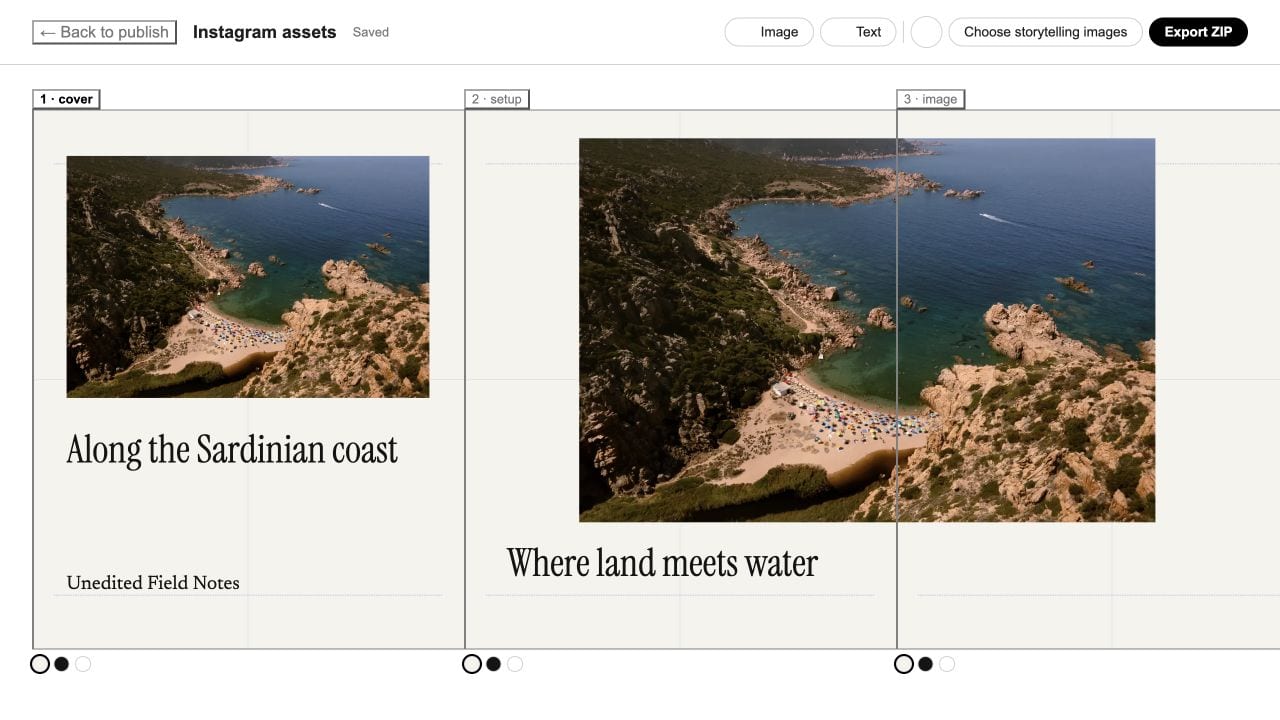
Give your photo stories the feel of a small publication on Instagram. We've refined storytelling carousels with more expressive typography, shorter text, and a choice of free headline and body fonts, our favourite is Newsreader. Your existing cover can open the story, with a photo-and-title cover as a fallback, and a closing publication slide brings it together.
Preparing a carousel is clearer, too. A progress screen shows what's happening while your story is being created, and gray dividers make slide boundaries easier to see on both light and dark backgrounds. We've also improved cover handling, font loading, and photo ordering to keep your choices consistent from the editor to the exported slides.